Automate Vendor Pull Sheets Into 3D Load Plans With Truck Packer's API
Stop retyping vendor pull sheets for every tour. Learn how Truck Packer's REST API turns gear lists from Clair, VER, and Solotech into positioned 3D load plans — automatically.

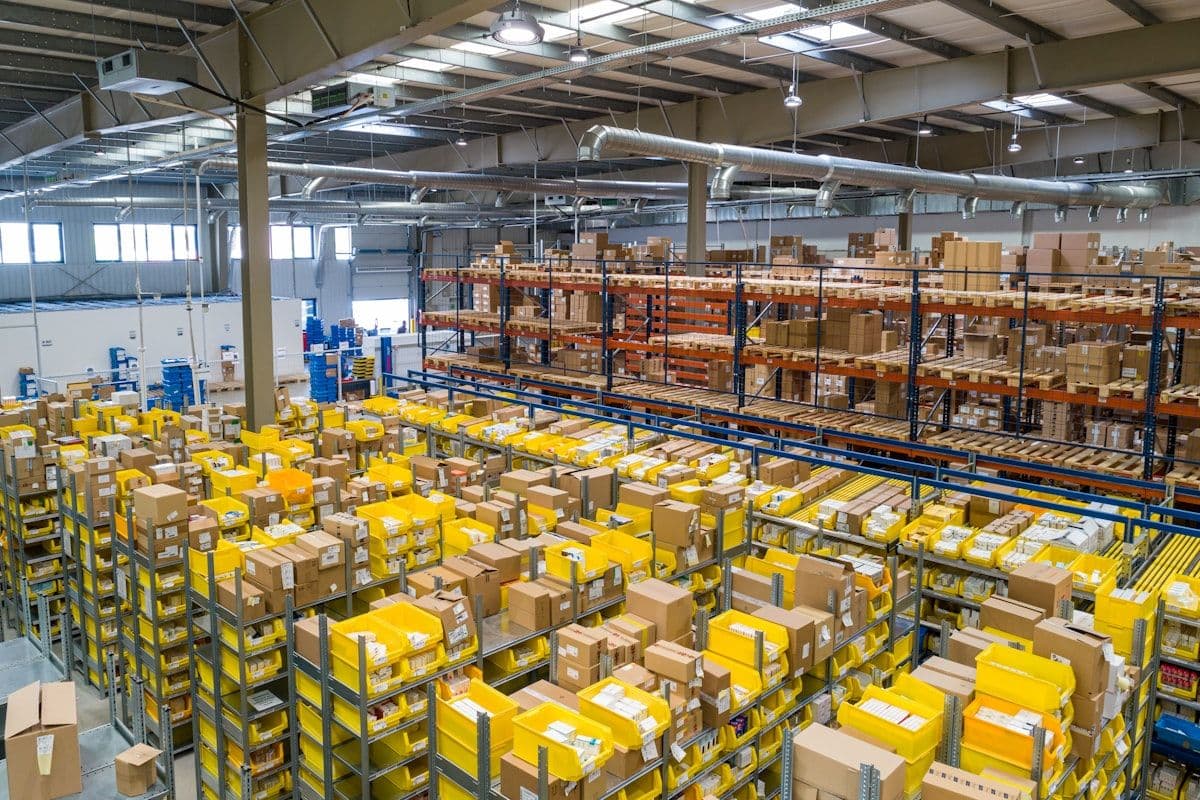
If you've managed logistics for a touring production, you know the drill. A new tour cycle kicks off and the pull sheets start rolling in — one from Clair Global for audio, another from VER for video, a third from Solotech for lighting. Each one is a PDF or spreadsheet listing every road case, rack, and accessory your crew needs to pack into a fleet of 53-foot trailers. And every single time, someone on your team sits down and manually re-types that gear list into whatever load planning tool you're using.
It's tedious, it's error-prone, and it happens on every tour. Miss a dimension, transpose a weight, skip a sub-item, and suddenly your load plan doesn't match reality. The crew shows up to the warehouse and the truck is either overpacked or the gear doesn't fit the way the plan said it would. That's not a minor inconvenience — on a tight advance schedule, it can cascade into delayed load-ins, overtime labor, and a production manager fielding angry calls from the venue.
There's a better way. Truck Packer's REST API lets you automate the entire pipeline — from raw vendor pull sheet to a fully positioned 3D load plan — without touching a single cell in a spreadsheet.
The Manual Data Entry Problem Nobody Talks About
Here's what the typical workflow looks like for a production manager handling three or four tours simultaneously. Monday morning, the audio vendor sends over a 40-line pull sheet for a new run. The PM opens the PDF, squints at the formatting (because every vendor does it differently), and starts copying case names, dimensions, and weights into their load planning tool. An hour later, the video pull sheet arrives — different format, different column order, different way of listing sub-items. Repeat for lighting, rigging, backline, and whatever specialty vendors are on the show.
For a single tour, this might eat half a day. But production managers don't run a single tour. They're juggling multiple shows across multiple vendors, and the pull sheets get revised constantly as gear swaps happen in pre-production. Each revision means another round of manual entry. The logistics automation market is projected to reach over $70 billion by 2031 precisely because industries are waking up to how much time and money gets burned on exactly this kind of repetitive data handling. The live events world is no exception — in fact, the repeated tour-to-tour nature of the work makes it an ideal candidate for API-driven automation.
How the API Workflow Actually Works
Truck Packer's API is built around a simple set of RESTful endpoints that map directly to the concepts you already work with: cases (your road cases and gear), case categories (audio, video, lighting, rigging), packs (your load plans), and entities (the 3D-positioned items inside a pack). The automation pipeline has five steps, and once you build it, it runs in seconds instead of hours.
Step 1: Ingest the pull sheet. Your script reads the vendor's PDF or Excel file and extracts each line item — case name, dimensions (length, width, height), and weight. The format varies by vendor, which is why you build a parser per vendor (more on that below). The key output is a structured list of pieces and their sub-items.
Step 2: Calculate loaded weights. This is where most manual processes go wrong. Vendors like Clair Global list the weight of the empty case on the "Piece" line, while the contents — amplifiers, processors, cable bundles — are listed as indented sub-items below it. The real loaded weight of that road case is the piece weight plus every sub-item weight underneath it. Your parser needs to walk the pull sheet, identify piece lines (rows with dimensions) versus sub-items (rows without dimensions), and roll up the weights correctly. Get this wrong and your load plan's weight distribution is fiction.
Step 3: Match or create case categories. Hit the /case-categories endpoint to check if an "Audio" or "Video" category already exists. If not, create one with a color code for visual identification in the 3D viewer. This keeps your case library organized across tours — you're not recreating categories every time.
Step 4: Create or update cases. For each piece in the pull sheet, POST to /cases with the case name, dimensions (converted to meters), the rolled-up weight (in kilograms), the category ID, and canRotate3d set to false — because road cases, racks, and consoles need to stay upright. If you've seen this case before from a previous tour, update it instead of duplicating it.
Step 5: Generate the load plan. Create a new pack via /packs, then use /entities:batchCreate to place a 53-foot dry van trailer and every case inside it — already positioned in 3D space. The batch endpoint accepts an array of entities with precise X, Y, Z coordinates, so your script can implement row-based packing logic: fill across the trailer width, stack small items on top of large ones, group by category, and leave gaps for load bars every 8 to 16 feet. The result is a load plan that looks like what an experienced crew would actually build.
The Vendor Format Challenge — and Why It's Actually an Opportunity
Every audio, video, and lighting vendor formats their pull sheets differently. Clair Global uses a specific indentation pattern with "Piece #" prefixes. VER might use a flat Excel layout with merged cells. Solotech has their own column ordering. PRG, 4Wall, Bandit Lites — all different. This is the reason manual data entry persists: no single format means no single import button.
But here's the opportunity: in the touring world, you're not dealing with thousands of vendors. You're dealing with maybe a dozen that cover 90% of tours. Build a parser for Clair, one for VER, one for Solotech, and you've just automated the vast majority of your pull sheet intake. Each parser is a one-time investment that pays off on every subsequent tour. And the parsers compound — once you've built three or four, adding a new vendor takes hours instead of days because you've already solved the structural problems of PDF extraction, weight rollup, and unit conversion.
This mirrors a broader industry shift. According to Logistics Viewpoints, the next phase of supply chain interoperability is moving from EDI batch transfers to real-time API-driven coordination — what they call "digital supply networks." The live events industry is following the same trajectory. Instead of passing PDFs around and retyping data, the pull sheet becomes a structured data feed that flows directly into your load planning tools.
What This Looks Like on a Real Tour
Let's walk through a realistic Monday morning for a production manager running three tours simultaneously.
9:00 AM — Clair sends over the updated audio pull sheet for Tour A. The PM drops the PDF into the intake folder. The automation script detects the new file, identifies it as a Clair format, and parses every piece and sub-item — 47 line items total. Weight rollups are calculated automatically. Cases are matched against the existing Truck Packer library; three new cases are created via the API for gear that wasn't on the last run.
9:03 AM — A new pack is created. The script places a 53-foot dry van trailer and positions every case inside it using row-based packing logic. Dollies are paired with their parent speaker cabinets. Small pelican cases are stacked on top of larger racks. Load bar gaps are inserted every 12 feet. The entire positioned load plan is pushed via a single call to /entities:batchCreate.
9:05 AM — The PM gets a notification with a shareable link to the 3D load plan. They forward it to the crew lead, who can rotate the view, inspect weight distribution, and confirm the pack makes sense before the truck arrives at the warehouse.
Total elapsed time: five minutes. No manual data entry. No transposed dimensions. No guessing whether that distro rack weighs 180 or 280 pounds because someone misread the pull sheet.
Now multiply that across three tours, each with audio, video, and lighting vendors. That's nine pull sheets processed automatically before the PM finishes their first cup of coffee.
The API Endpoints That Power It
For anyone ready to build this, here's what you're working with. Truck Packer's API uses standard REST conventions with Bearer token authentication and JSON payloads. Dimensions are in meters, weights in kilograms.
/case-categories — GET to list existing categories, POST to create new ones. Each category has a name and a hex color for visual identification in the 3D viewer. You'll typically have categories like Audio, Video, Lighting, Rigging, and Backline.
/cases — Your case library. POST to create a new case type with name, dimensions, weight, category, and the canRotate3d flag (almost always false for touring gear). PUT to update existing cases when a vendor revises dimensions or weight. GET to search your library before creating duplicates.
/packs — A pack is a load plan workspace. POST to create one, give it a descriptive name like "Tour A - Truck 1 - Audio", and you get back a pack ID that you'll reference when adding entities.
/entities:batchCreate — This is where the magic happens. Send an array of entities — containers (the trailer) and cases (your gear) — each with a 3D position, size, and rotation. One API call places your entire load. The Y-up coordinate system means X is length along the trailer, Y is height, and Z is width. Place a case on the floor by setting position.y to half its height.
Why This Matters in 2026
The broader logistics world is in the middle of an API-first transformation. MODEX 2026, the premier supply chain trade show happening this month in Atlanta, is showcasing how API-driven architectures are replacing legacy batch-processing workflows across warehousing, fulfillment, and transportation. The shift from scheduled EDI file transfers to real-time API coordination is happening everywhere — and it's reaching the live events industry.
For touring productions, the stakes are uniquely high. Unlike a warehouse that ships the same products every day, every tour is a custom logistics operation. The gear changes, the truck count changes, the routing changes. That's exactly why API automation is so powerful here — it turns a process that's different every time into something that's handled the same way every time. The variability is in the data, not the workflow.
Production companies that invest in this automation now are building a competitive advantage. When a client asks "how fast can you turn around a load plan," the answer goes from "give us a day" to "give us five minutes." That's not just efficiency — it's a sales differentiator.
Getting Started
If you're ready to stop retyping pull sheets, here's the practical path. Start with the vendor you work with most. Look at their pull sheet format, identify the pattern for piece lines versus sub-items, and build a parser that outputs structured JSON. Connect it to Truck Packer's API — create your categories, push your cases, and generate a test pack. Once you see a 3D load plan built from a raw pull sheet in under a minute, you'll wonder why you ever did it by hand.
Truck Packer is free to try and the API is available on every plan. Head to truckpacker.com to create your account, grab your API key, and start building the automation layer that turns vendor pull sheets into load plans — automatically.
Everything above lives in the app. Log in to Truck Packer and start packing.

