v0.10.3: The Manufacturer Library Opens Inside the Pack
What shipped in Truck Packer v0.10.3: the manufacturer case library now opens in the Library panel and under File, and a catalogue case drags straight into the scene without being saved to your library first. Plus Gator's 565 cases, and why 262 got cut.

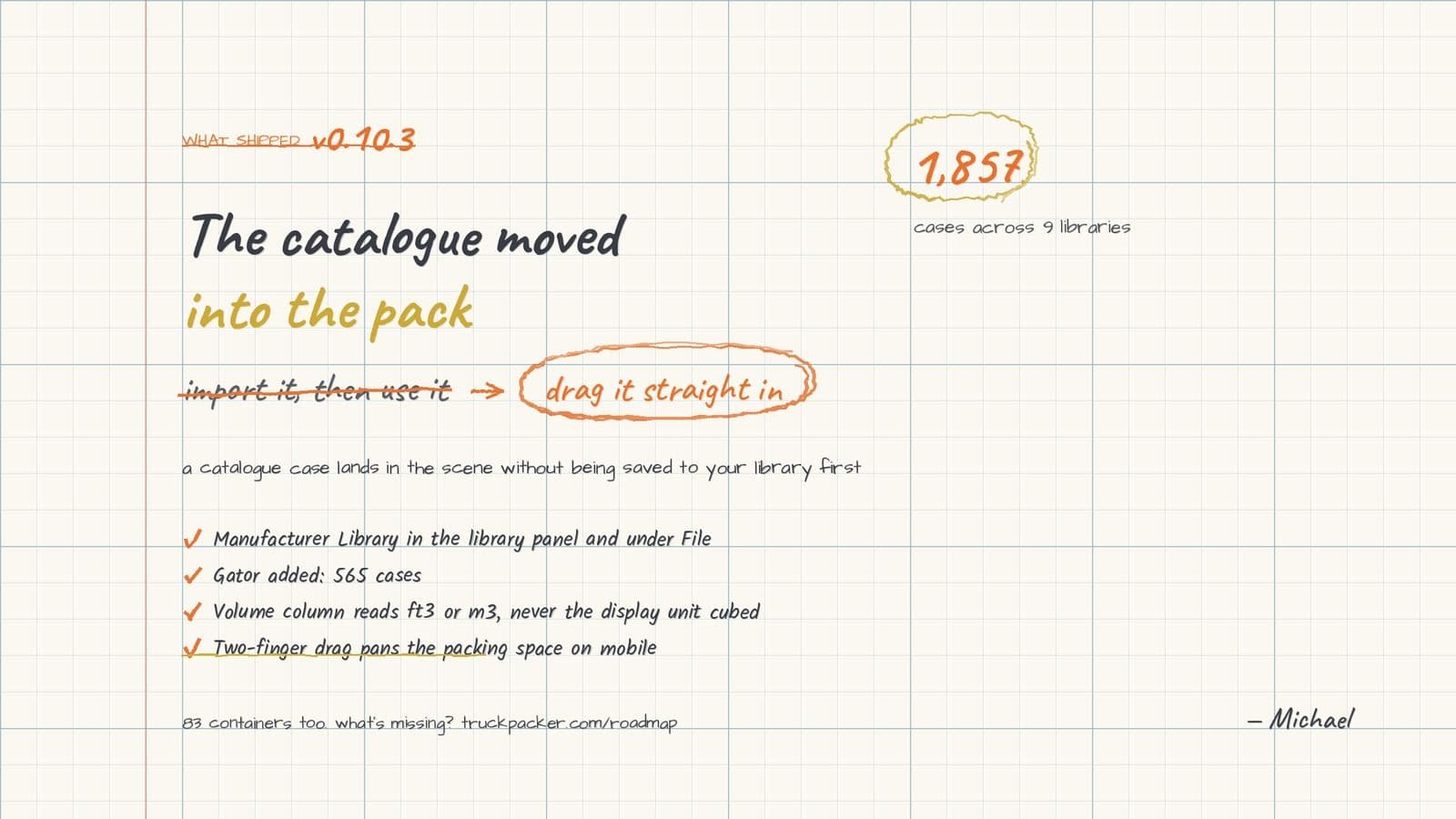
Truck Packer v0.10.3 went out on September 5. The headline change is small to describe and large in practice: the manufacturer case library now opens inside the packing space, in the Library panel next to your own presets and under the File menu. You do not leave the pack to go get a case any more.
That reads like a UI shuffle. It isn't, and the reason is in what a catalogue row does when you drag it.
The catalogue opens where you pack
Until now the manufacturer library was a destination. You went to the Cases page, opened the import dialog, picked a brand, imported what you wanted into your org library, then came back to the pack and used it. Three of those four steps were bookkeeping.
In v0.10.3 the catalogue is inlined at the foot of the Library panel. Every brand is a collapsible section with its case count on it, and the rows click and drag into the scene through the same components and the same drag store as your own presets. The only real difference underneath is that a catalogue row has no category yet, so its category gets resolved as it lands.
The practical version: you can drop a Gator 20x25 road case straight into a truck without saving it to your library first. If it turns out to be the wrong box, you delete it and nothing has been added to your inventory. The old flow made you commit before you could look.
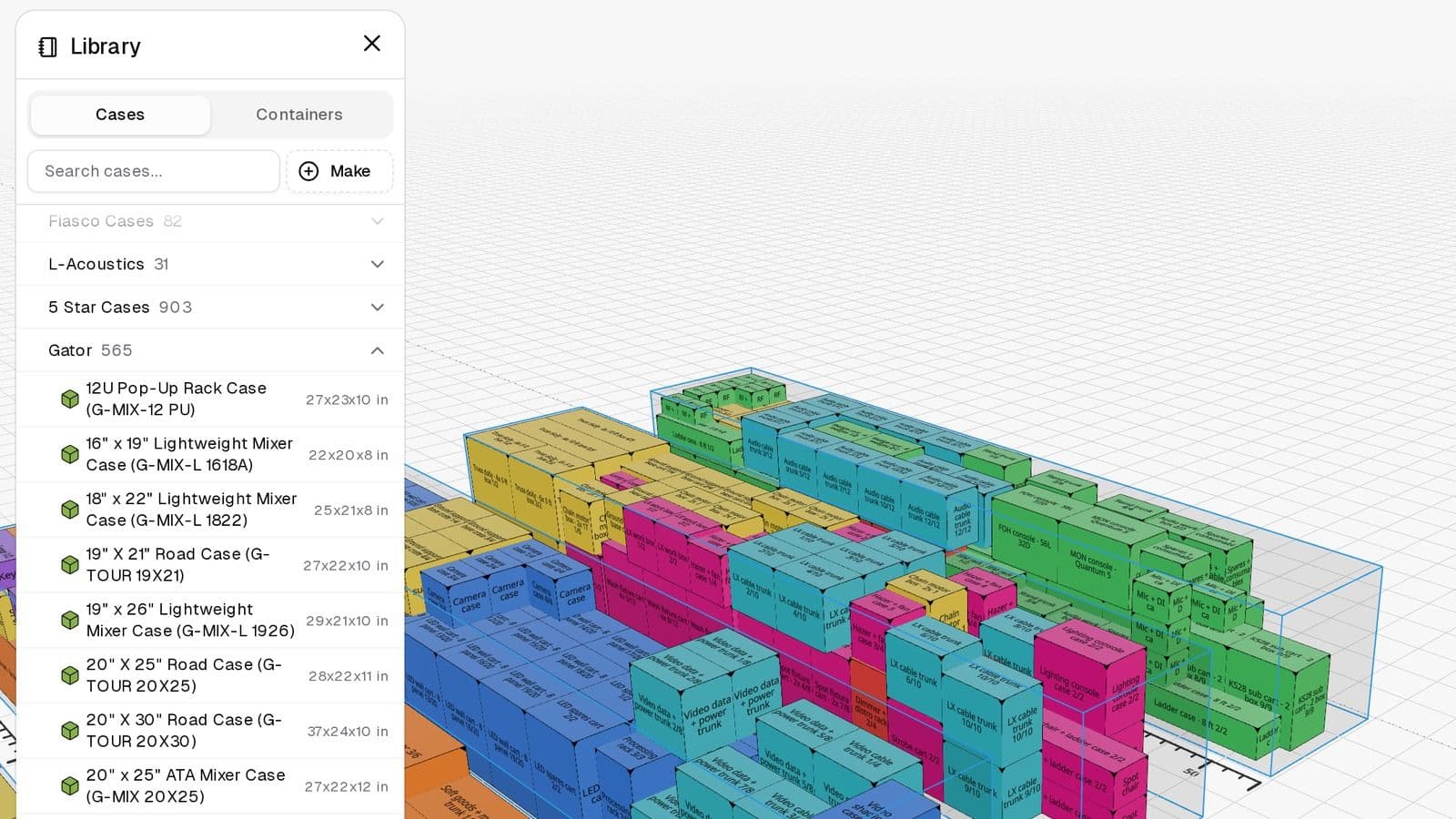
The Library panel in the packing space, Gator open. Brand sections sit under your own presets and drag straight into the scene.
Speed was the other half of it. The whole catalogue is warmed into the client cache when the pack page mounts, so opening a brand section is instant instead of a round trip per brand. With 903 cases sitting inside one of those sections, that matters.
Two ways in
The Library panel is the fast route. The other is File, then Import, then Manufacturer Library, which opens the same picker the Cases page opens, just pointed at the pack instead of at your org library.
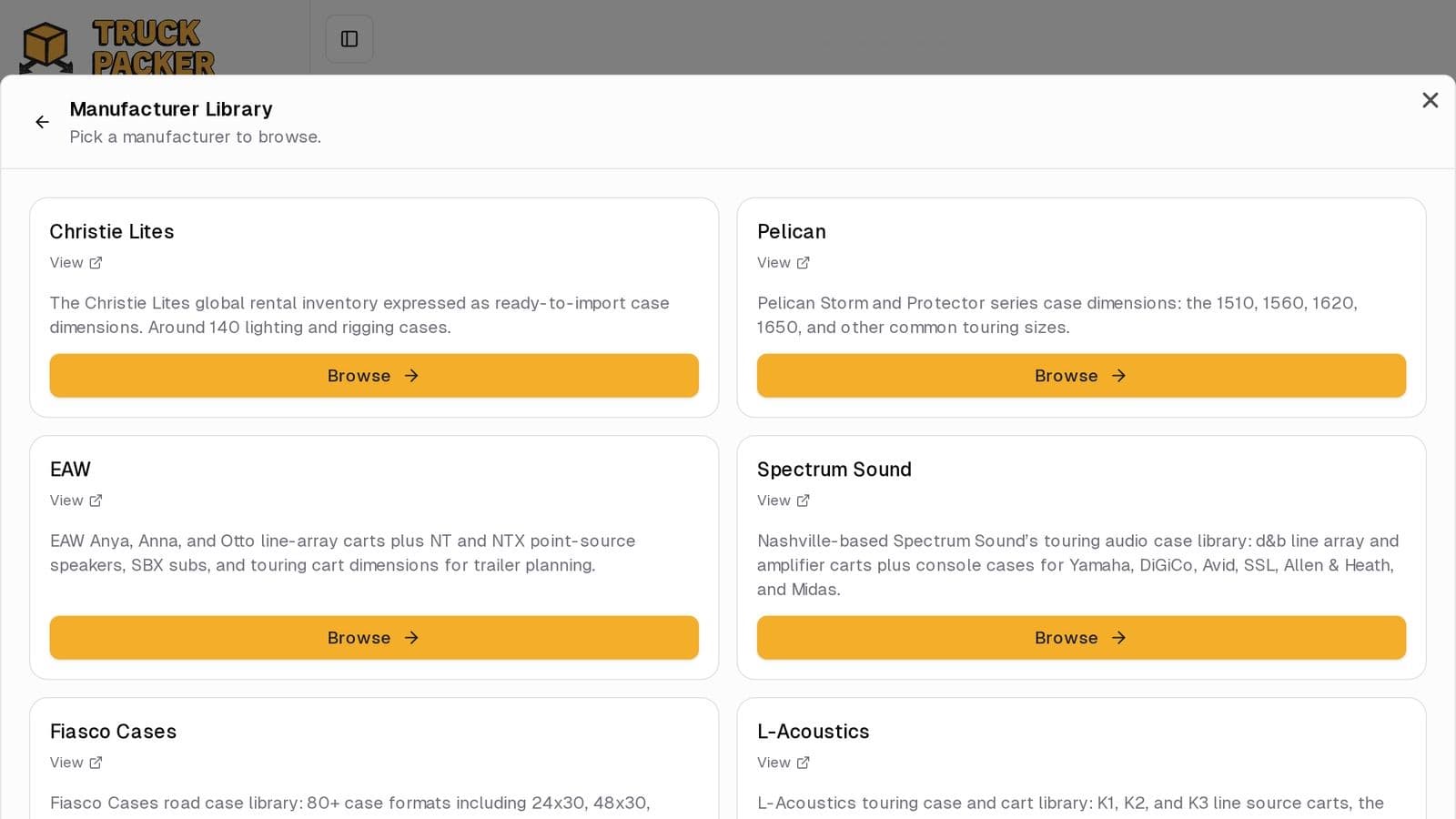
The same picker the Cases page opens, reached from File, Import, Manufacturer Library.
Same dialog, same brands, different destination. Use the panel when you're packing and the dialog when you're shopping.
Sidenote: Gator, and why 827 became 565
Gator landed the week before, and it's the biggest single-brand drop we've done: 565 cases, from the 12U pop-up rack through the G-TOUR road cases and the ATA molded mixer cases.
The number started at 827. We cut 262 of them on purpose, and every one of the cuts was soft goods: bags, gig bags, slip covers, padded totes. A bag has no fixed footprint. It packs down when you squeeze it and it won't carry a stack, so a solver that treats it as a rigid box either wastes deck space or tells you a rack can sit on a mixer bag. Neither one is a load plan. If it doesn't hold its shape, it doesn't belong in a packing library.
While you're in there, two racks that both say 8U. Gator's G-SHOCK-8L is 22.75 x 24.25 x 19 inches and 29 lb. The G-TOUR SHK8 CAS is 25.5 x 25.5 x 26 inches and 60 lb. Same eight rack units of gear inside, 61% more cube on the deck and more than double the weight. That's the number you can't get off a spec line that just says 8U, and it's the whole argument for a library carrying real exterior dimensions.
Two smaller fixes
The volume column on the Cases and Containers pages was blowing out its column. The cause was that volume was quoted in the display unit cubed, and cubing millimetres turns an ordinary road case into a nine-digit number. Volume now always reads in ft³ or m³ no matter what your dimensions are set to, and cases carry more decimal places than containers, because fractional volume matters at case scale and doesn't at trailer scale.
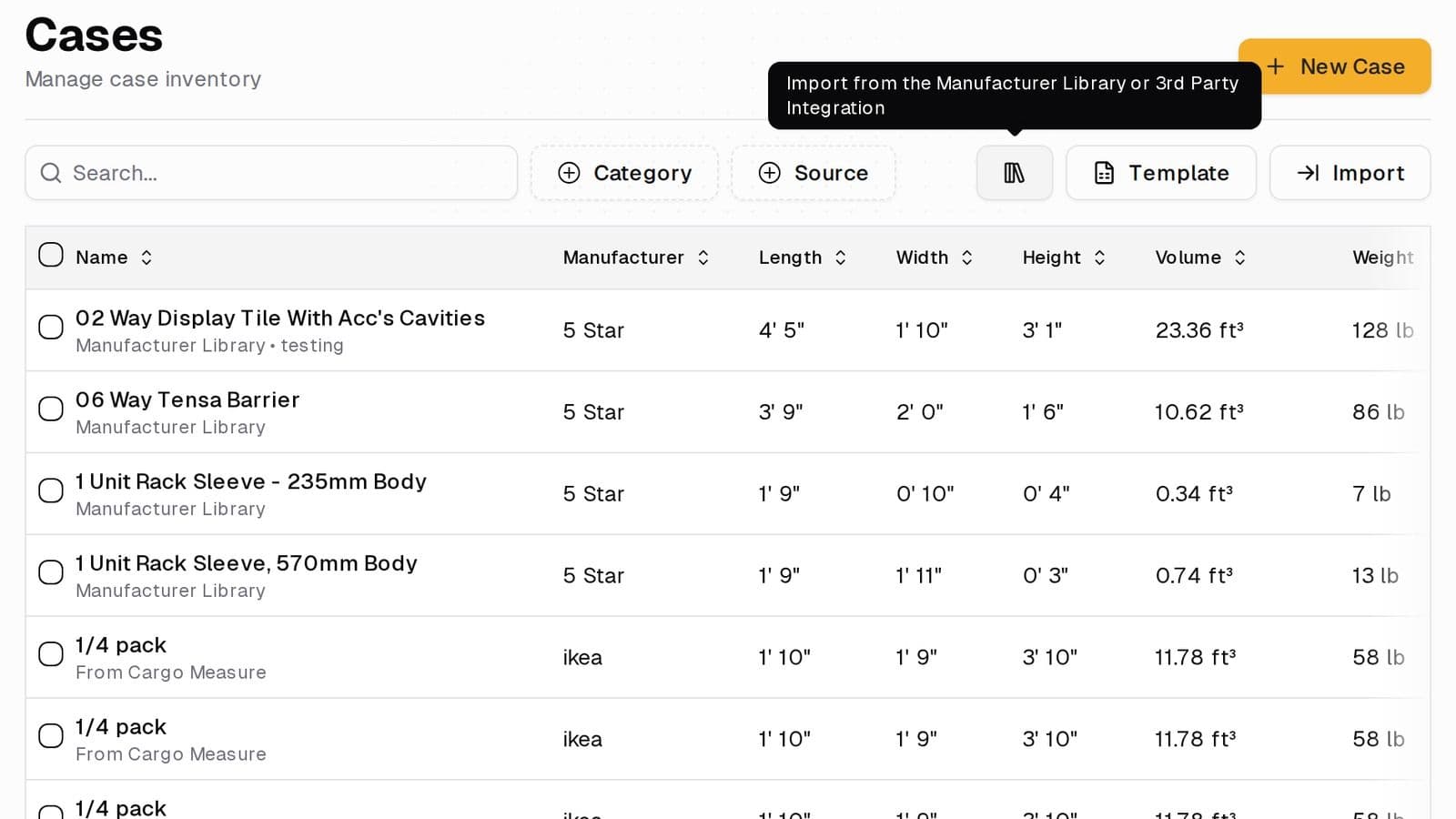
Volume reads in ft³ or m³ now, whatever the dimension unit is set to.
The other one is for anybody who opens a pack on a phone at the dock. Two-finger drag now pans the packing space. Panning had been gated behind a desktop modifier in a way that also killed the touch half of it, so a phone had no way to pan at all. One finger rotates, two fingers pan and zoom.
What's on the shelf now
Nine case libraries, 1,857 cases: 5 Star Cases 903, Gator 565, Christie Lites 137, Spectrum Sound 91, Fiasco Cases 82, L-Acoustics 31, EAW 29, Pelican 8, and the 11-case starter set. Plus 83 containers in seven groups, covering semi trailers, box trucks, shipping containers, air cargo ULDs, pallets, rail cars and rental trucks.
Every release is listed on the changelog, and what's queued next is on the roadmap. If a brand you run isn't on that shelf yet, tell us which one and we'll go measure it.
Ready to build your load plan? Log in to Truck Packer and pack it.

