Truck Packer v0.12: AutoPack 2.0 Takes 554 Placement Problems Down to Zero
Truck Packer v0.12 rebuilds AutoPack on a new solver: placement rules per case, Lock, Full Support and a Constraint Validator. On 14 real packs it cut placement problems from 554 to zero.

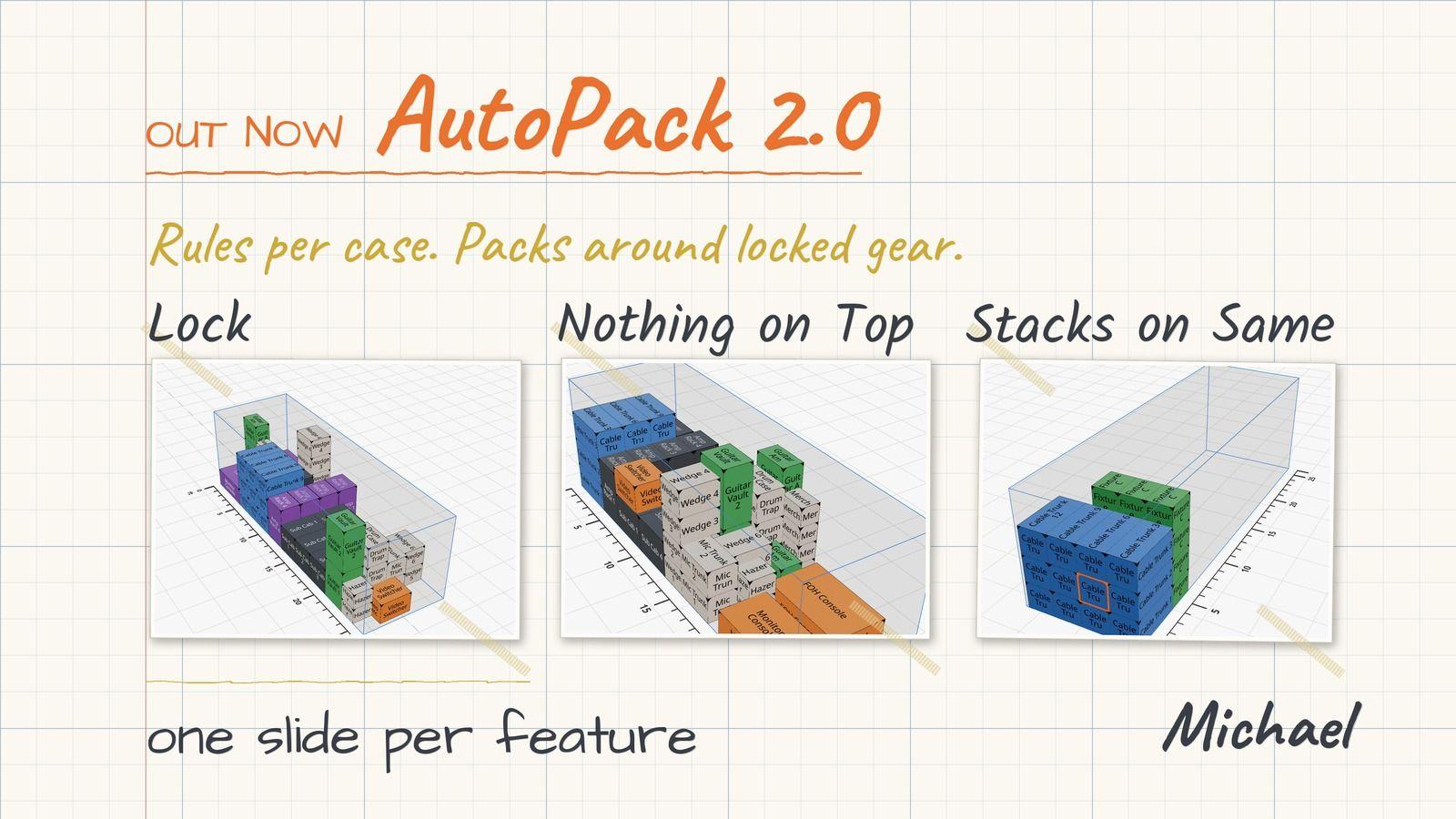
Truck Packer v0.12 is out today, and it is the biggest release we have shipped. AutoPack has been rebuilt on a new solver, and on 14 real packs it took the placement problems the old AutoPack left behind from 554 to zero. It usually answers in about a second, it follows rules you set on each case, and it packs around anything you placed by hand. The full list is in the v0.12 changelog.
Why we rebuilt AutoPack
The old AutoPack was fast, but it packed like someone who had never loaded a truck. Cases hung off the edge of the case below them, racks ended up on their sides, and something always landed on top of the FOH console. You could get a tight-looking pack on screen that nobody would ever load that way at the dock. So we swapped out the engine underneath it. AutoPack 2.0 packs with gravity: every case rests fully on the floor or on other cases, with no overhang. That setting is called Full Support. It is on by default and saved per pack.
A run also either places every item you selected or changes nothing, so you never end up with half a truck packed. When there is more than one good way to load it, AutoPack applies the best one and you can step through the rest with the arrows. Each solution shows the container load against its payload capacity.
554 placement problems down to zero on 14 real packs
Source: Truck Packer load plans, the same cases and rules run through AutoPack 1 and AutoPack 2.0, checked with the Constraint Validator
We ran the same 15 loads through both versions: arena audio and lighting rigs in a 53' dry van, a club tour in a 26' box truck, a broadcast camera package in a 20' container, a theatre tour, a wedding band and a house of worship install. Two of them are real Clair pull sheets. On 14 of the 15, the old AutoPack placed everything but left 554 problems between them, cases floating, overhanging or breaking a rule. AutoPack 2.0 placed the same cases with zero. The arena audio load alone went from 57 problems to none.
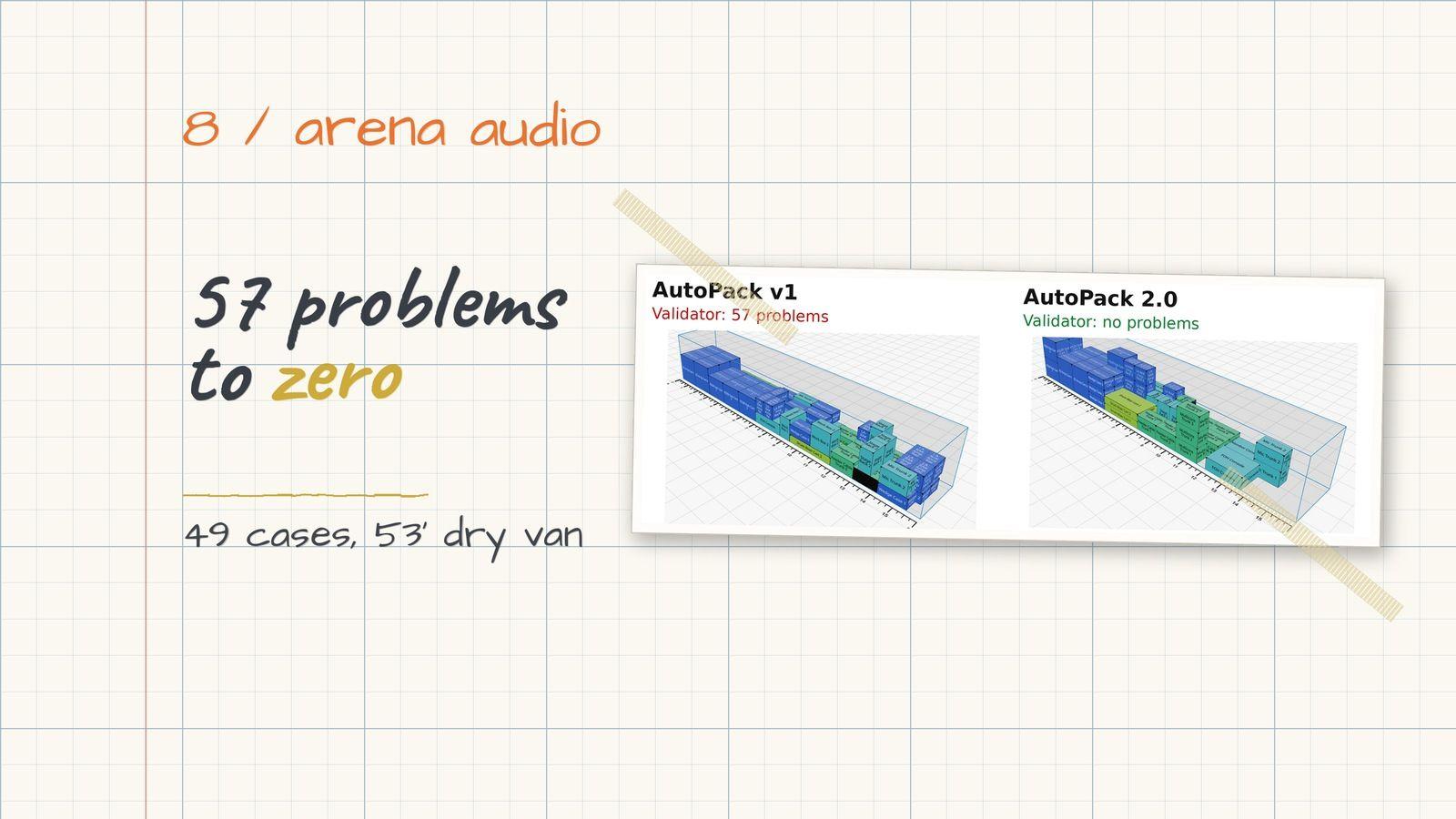
The 15th was a musical theatre pit and backline load in a 26' box truck, and AutoPack 2.0 could not find a way to fit it while keeping every rule. The old version said it fit, but only with 32 problems in it. We would rather tell you it does not fit than hand you a load plan that falls apart at the dock.

Placement rules on every case
You can now set four rules on any case or cylinder, in the inspector, the case form or a spreadsheet import. They replace the old Stackable and Flippable options, and your existing settings carried over.
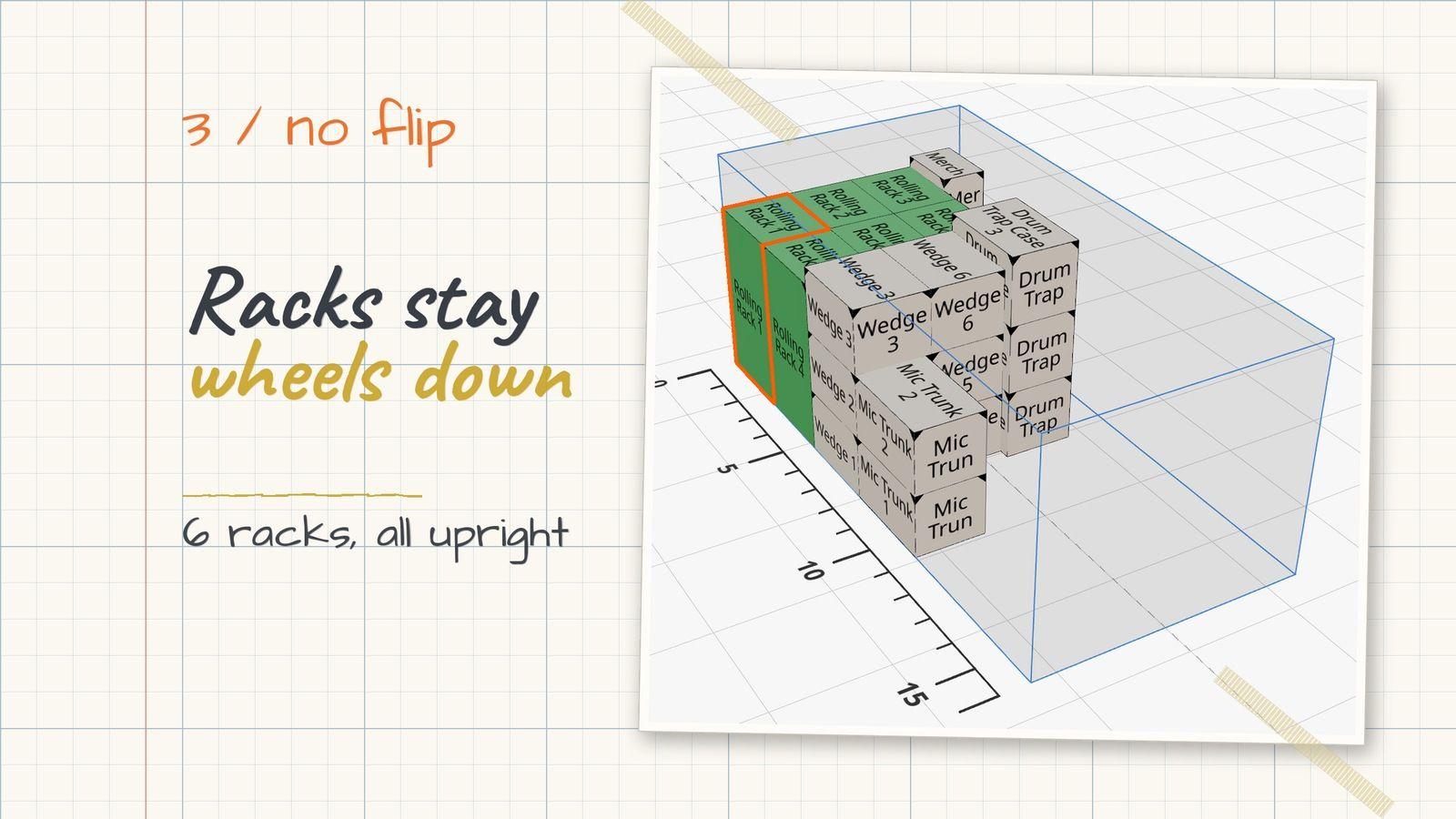
- No Flip: the case stays upright, so rolling racks stay wheels down.
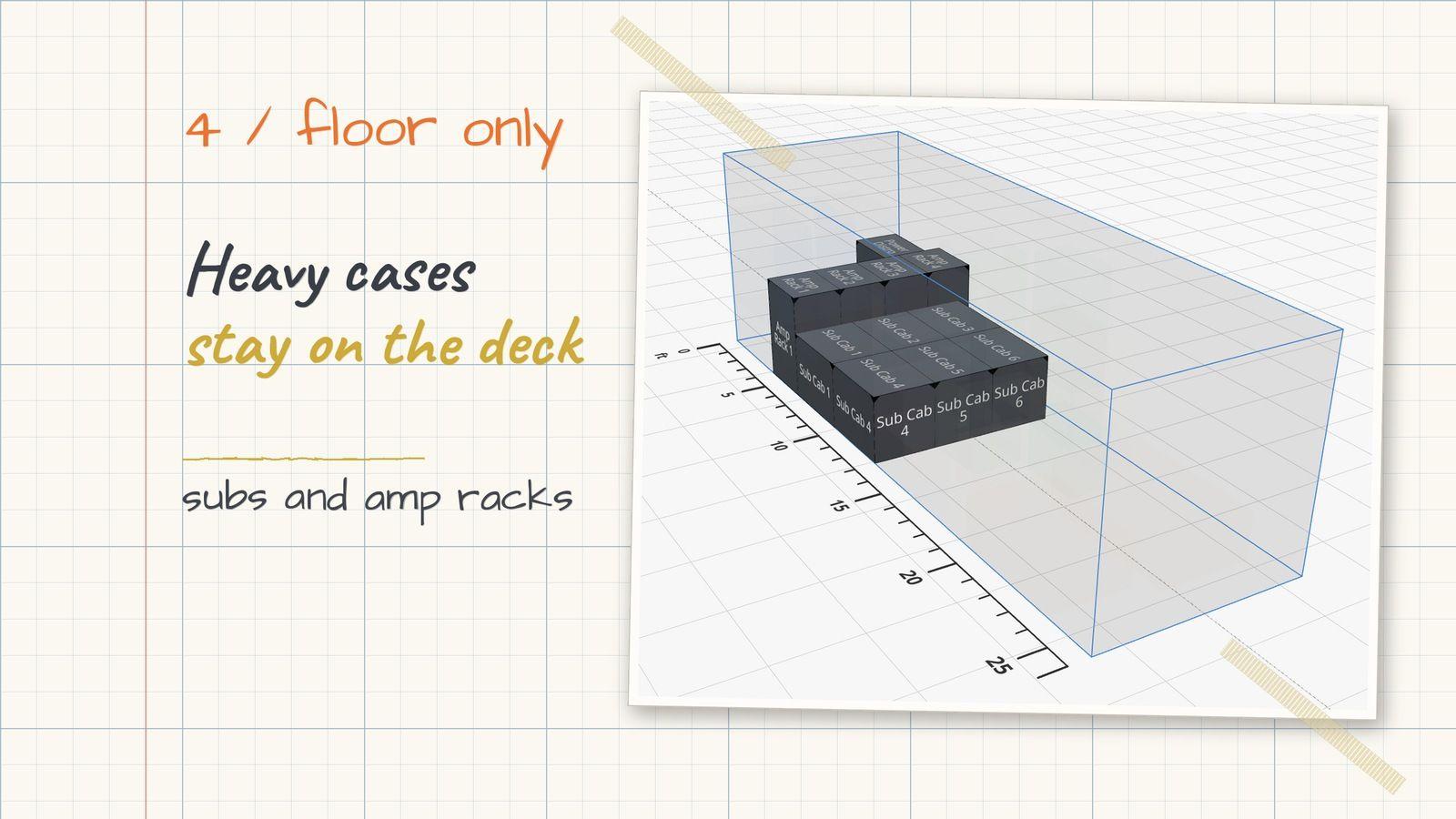
- Floor Only: heavy cases like subs and amp racks stay on the deck.
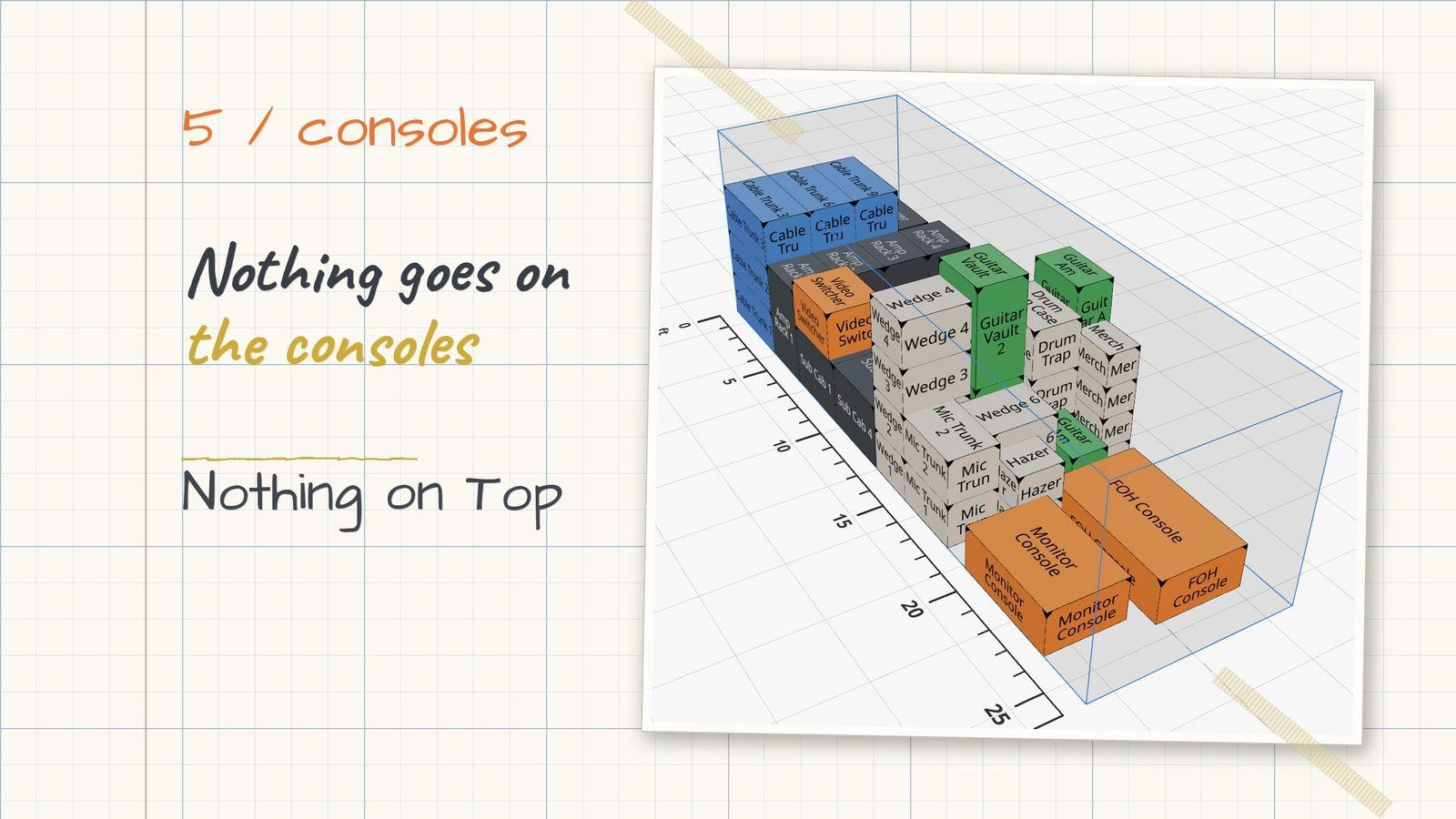
- Nothing on Top: keeps the space above consoles and fragile cases open.
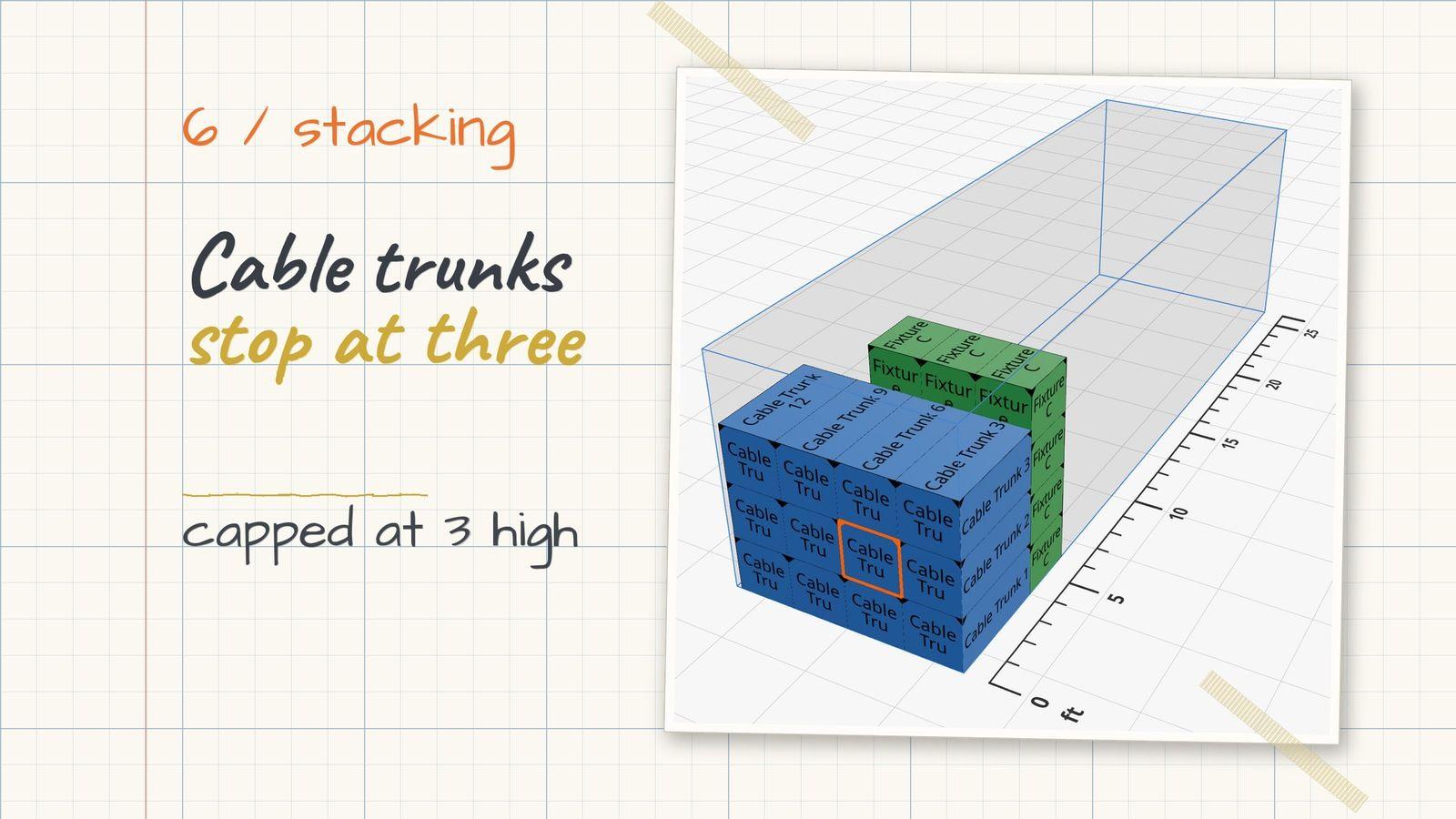
- Stacks on Same: the case only stacks on an identical case, with an optional Max Stack Count, so your cable trunks stop at three high.
Import templates have five new columns for these: No Flip, Floor Only, Nothing on Top, Stacks on Same and Max Stack Count. Spreadsheets with the old Stackable, Can Rotate or Flippable columns still import.
Lock what you placed, let AutoPack do the rest
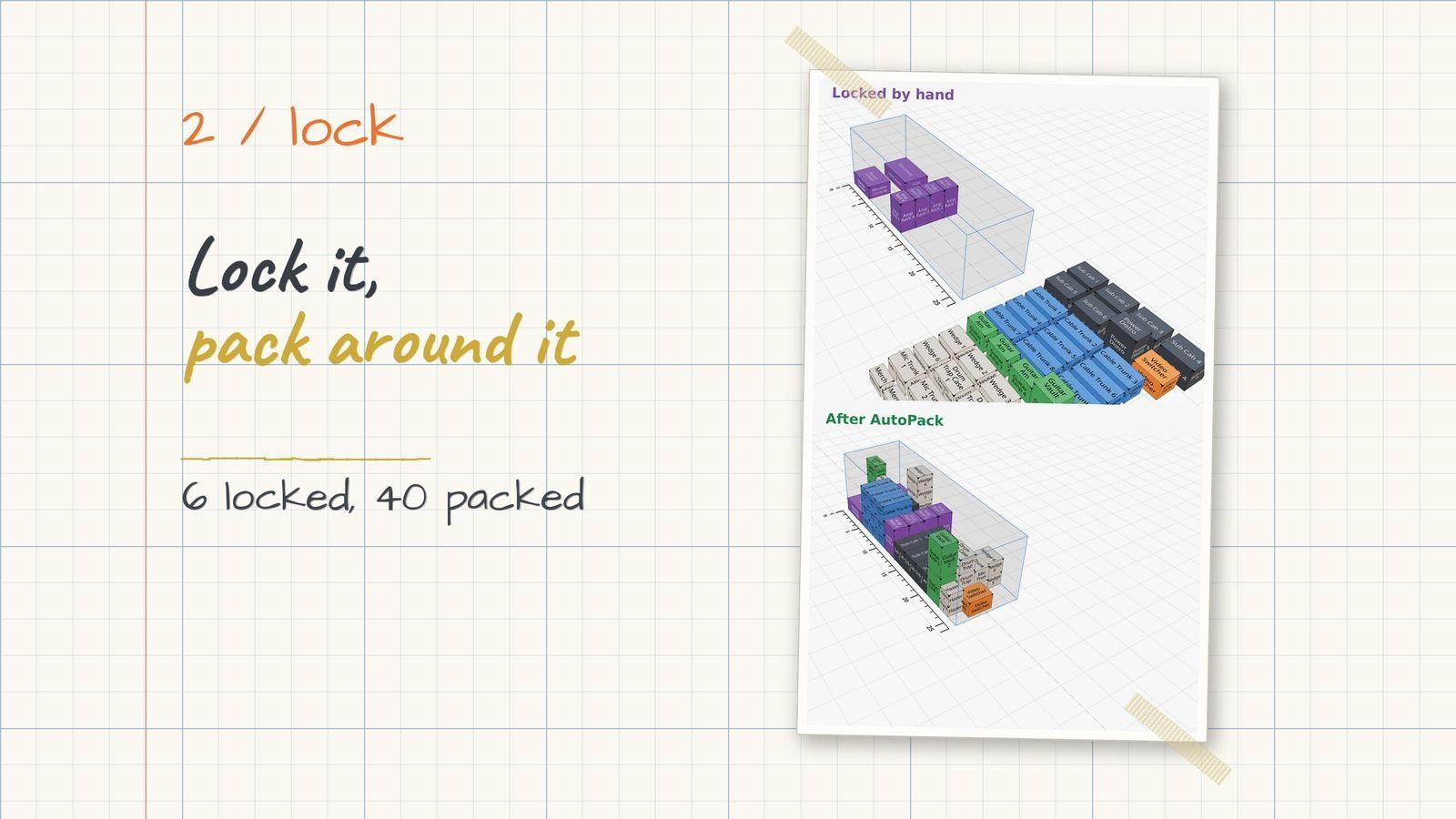
Every A1 I know places a few things by hand first. The console goes where the console goes, and the drum riser goes in a certain spot. Now you can lock any item from the scene graph, the inspector, the Loading Dock or the right-click menu. Locked items cannot be moved or resized, and AutoPack packs around them and around any cargo already sitting in the container. Groups pack as one unit too, so a wall or rack you built goes in exactly as you built it.
The Constraint Validator checks the whole pack
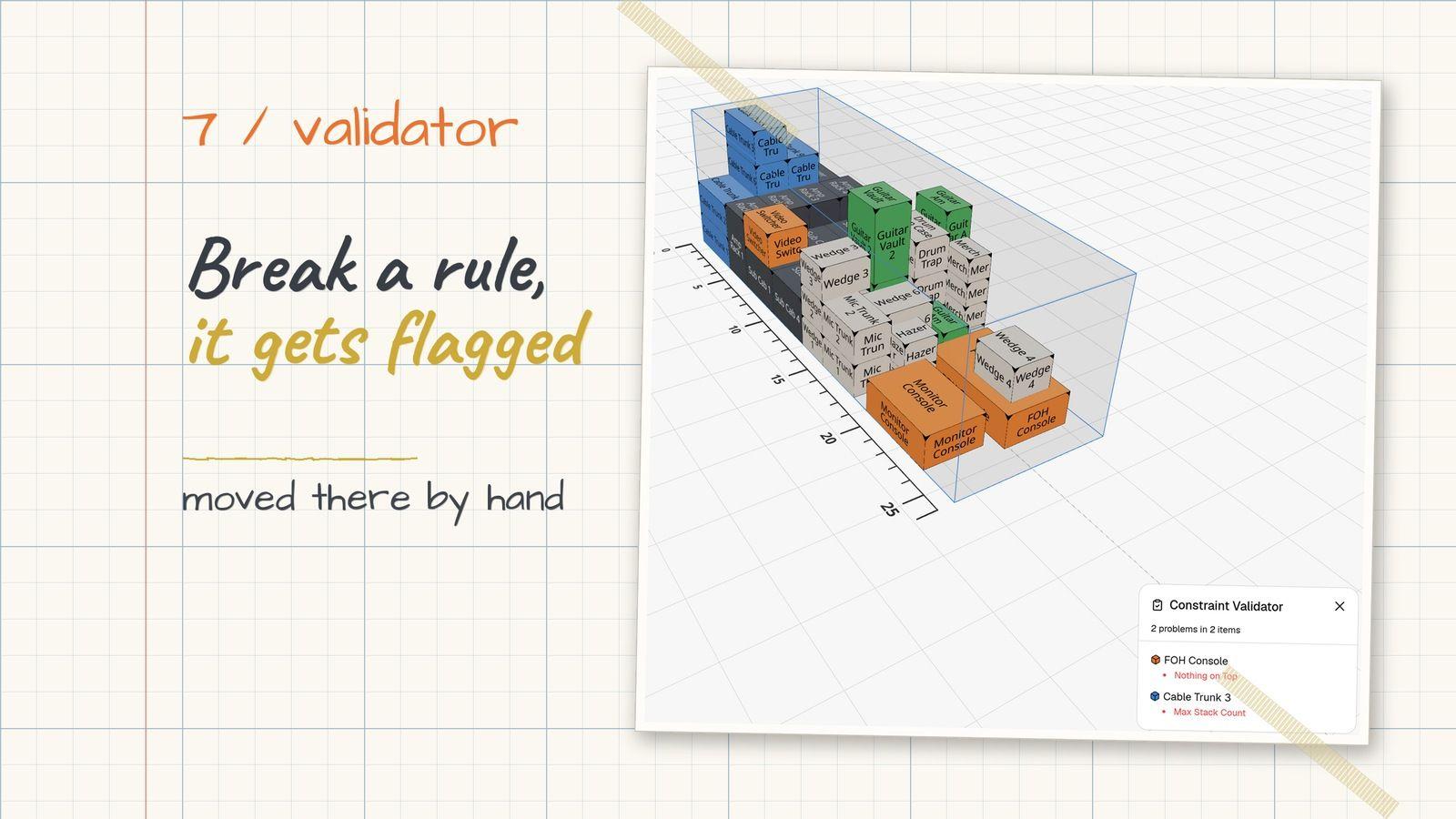
Open View, then Constraint Validator, and you get a live list of every collision, floating or overhanging case, broken placement rule and overweight container in the pack. It is just as useful on a pack you built by hand as on one AutoPack built. The old Collision Detection toggle is now Show Placement Violations, and the striped warning also marks cases that break one of their rules.
For Business teams on the API
The REST API gets the same tools. GET /api/v1/packs/:id/validation runs the Constraint Validator on a pack, cases and entities take a constraints object, and entities:batchCreate and entities:batchUpdate accept locked. The details are in the API reference.
What's next
AutoPack 2.0 is live in the app today. If something packs weird, I want to see it. Send me the pack name and I'll dig into it.
Ready to try AutoPack 2.0? Log in to Truck Packer and pack something.

